


Quizlet: More than Flashcards
4.758.59K Reviews
App Specs
- Version
- 10.49
- Updated On
- License
- Free
- Downloads
- 50,000,000+
- Developer
- Quizlet Inc.
- Categories
- Education
- Platform
- Android, iOS
Screenshots

 Analysis by AppCompare
I judge study apps less by how impressive they look on day one and more by whether I still reach for them when a deadline is weeks away. Quizlet makes a strong first impression because it turns a pile of terms into something I can review in short bursts, then gives me more than one way to check what has stuck. The harder question is whether those options support a lasting routine—or simply make studying feel busy. In my experience, the answer depends on how carefully I choose or build the material.
A quick first week, with one useful habit
For a new class, I would begin with a small set rather than importing every chapter’s vocabulary at once. A manageable group of terms makes it easier to notice which definitions are vague, too long, or confusingly similar. I can then use the cards to learn the wording and switch to a recall-based activity to find out whether I actually remember it. That sequence is more useful than treating every mode as a separate game to complete.
The app is an education tool from Quizlet Inc., and its basic appeal is easy to understand: I can make a set for a particular lesson, search for material that may already exist, or use interactive practice to work through what I need to know. Quizlet is free to download, rated for Everyone, and has a 4.7 average from around 869,000 ratings. That gives a new user a sense of its broad appeal, but it doesn’t tell me whether a specific shared set is accurate, so I still check the content before trusting it.
Getting Started with Quizlet
First things first, downloading Quizlet is a breeze. Available on both Android and iOS, you simply hit the download button and you're good to go. Upon opening the app, you're greeted with a clean and intuitive interface. I immediately felt like I was stepping into a digital classroom.
The app invites you to sign up or log in, which is a quick process. You can even link your Google or Facebook account to make things snappy. Once you're in, the world of flashcards unfolds before you.
Features That Stand Out
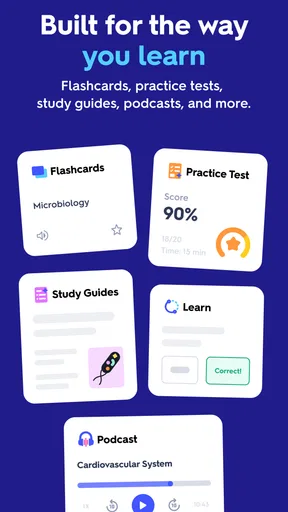
Now, let's dive into the features. The most obvious one is the flashcards, but there's so much more. Quizlet offers a range of study modes that make learning engaging and effective.
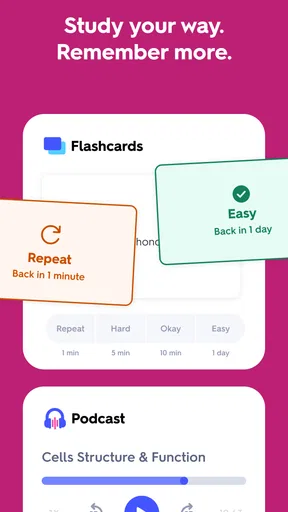
- Learn Mode: This is perfect for getting acquainted with new material. It uses spaced repetition, which means it shows you cards you struggle with more frequently.
- Write Mode: If you're like me and need to write things down to remember them, this mode is a lifesaver. It tests your ability to remember definitions or terms by having you type them out.
- Match Mode: This turns studying into a game. You match terms and definitions as quickly as you can, which is surprisingly fun and addictive.
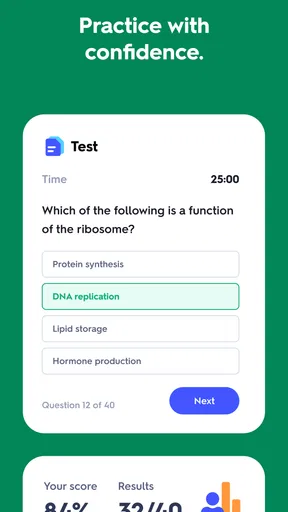
- Test Mode: Want to see how well you've learned? This mode lets you take practice tests, mirroring real exam conditions.
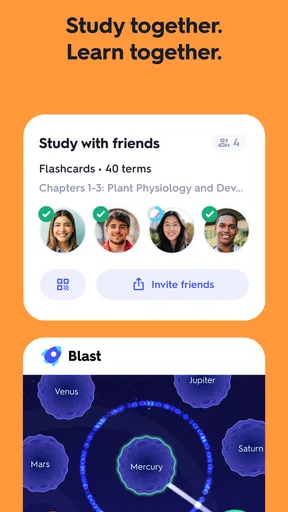
One of the standout features is the ability to create your own sets. You can tailor these to your specific needs, whether you're prepping for a biology exam or learning a new language. The app allows you to share sets with friends or classmates, making collaborative learning a breeze.
Worth Reading Before You Choose

Baby Panda World Brings Quick Play to Modern Phones, but Its Game Library Feels Busy

ESPN’s Live Game View Makes Following Close Games Easier

QuizzLand Review: A Good Fit for Short Trivia Breaks, Not Every Player

Basketball Stars: Multiplayer Is Fast, but Can It Recover When Matches Go Wrong?

WEBTOON Turns Phone Updates Into a Better Reading Routine

Link to Windows Runs on Shared Habits, Not Social Feeds
Community and Collaboration
Speaking of collaboration, the community aspect of Quizlet is something to marvel at. There are millions of user-generated study sets available, covering a vast array of topics. I found it incredibly useful to tap into these resources, especially when I needed a quick refresher on something outside my usual study material.
The app also offers a “live” feature, which is perfect for teachers or group study sessions. It's a game-based classroom experience that engages students in real-time. I tried this with a few friends, and we had a blast racing against each other to see who could answer the most questions correctly.
From a quick session to a routine
The point where Quizlet becomes genuinely useful is the handoff between sessions. If I have a few minutes on a bus or between classes, I can review a set without needing to recreate my study plan from scratch. Later, I can return to the same material and use a different activity to test recall instead of merely recognizing a familiar answer. That small change helps me distinguish “I’ve seen this card” from “I can explain this concept.”
A realistic routine might be a nursing student reviewing terminology after class, flagging unfamiliar terms in a personal set, then revisiting those terms before a weekly quiz. A language learner could use the same pattern for vocabulary, but should add practice hearing and speaking the language elsewhere: remembering a written translation is not the same as following a conversation. I like Quizlet most when it is one dependable part of study, not the entire study plan.
For a group, shared sets can reduce duplicated effort, but I would agree on a format before everyone contributes. One person may write a concise definition while another adds a broad explanation, leaving a muddled deck. A practical fix is to keep each card focused on one question and have someone check the wording. That is less exciting than racing through a game, yet it makes later review much more reliable.
Community and Collaboration
Speaking of collaboration, the community aspect of Quizlet is something to marvel at. There are millions of user-generated study sets available, covering a vast array of topics. I found it incredibly useful to tap into these resources, especially when I needed a quick refresher on something outside my usual study material.
The app also offers a “live” feature, which is perfect for teachers or group study sessions. It's a game-based classroom experience that engages students in real-time. I tried this with a few friends, and we had a blast racing against each other to see who could answer the most questions correctly.
Finding trustworthy material and making better cards
Shared study sets are a shortcut, not a guarantee. Before relying on one for an exam, I compare a sample of its definitions with class notes or a trusted textbook, especially where a small wording difference changes the meaning. I also look for cards that ask one clear thing. If a card contains a whole paragraph, splitting it into a term, a key distinction, and perhaps an example makes it easier to test what I truly know.
There is a useful trade-off here: building cards takes time, but the act of deciding what belongs on each card can itself reveal gaps in my understanding. When I am short on time, I might start with a relevant shared set, correct the errors I spot, and add only the material specific to my course. If I copy a set blindly, I save minutes up front but risk practicing someone else’s mistakes.
Quizlet’s store summary describes flashcards, interactive practice tests, and AI tools. I treat the AI element as a prompt for practice rather than an authority: generated material still needs a quick check against what I am expected to learn. That caution matters most for technical subjects, where an answer can sound plausible while missing an important qualification. The app is most helpful when it makes practice easier, not when it replaces judgement about the source.
Accessibility and Usability
One thing I really appreciate is how accessible Quizlet is. Whether you're on a tablet, phone, or computer, the experience is seamless. I often switch between devices, and all my progress is saved thanks to cloud syncing.
The app is also friendly for those who might have visual impairments. With options to adjust text size and a dark mode, it’s clear that the developers thought about inclusivity.
What changes after the novelty wears off
Quizlet’s longer-term value comes from being easy to revisit, but the habit still needs a little maintenance. I would keep sets grouped by course or topic and give them names that make sense when I am in a hurry. Before an assessment, I can prioritize the material I repeatedly miss instead of spending equal time on every card. A short, deliberate review is more sustainable than waiting until the set feels intimidating.
The maintenance cost is mostly editorial: correcting shared material, removing duplicate cards, and revising a definition when my understanding improves. A deck that was useful at the start of a course can become cluttered if I keep adding loosely related facts. I would rather maintain several focused sets than one enormous catch-all collection, particularly when I need to revisit a specific unit later.
There are also limits to what flashcard practice can show. It is strong for vocabulary, labels, definitions, and compact facts; it is less suited to building a long argument, solving a multi-step problem, or practicing a conversation in context. For those goals, I would pair it with written exercises, worked problems, discussion, or the relevant subject materials. That is not a flaw unique to Quizlet; it is a reminder to choose a tool that matches the kind of learning I need.
Pricing: Free vs. Plus
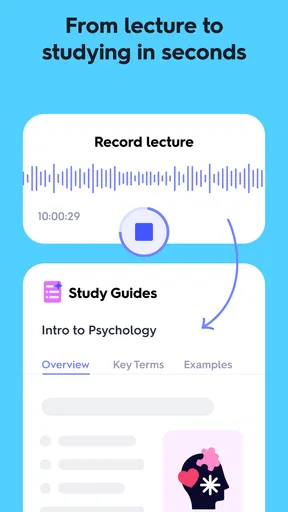
While Quizlet is free to use, there is a premium version called Quizlet Plus. This comes with some added perks, like offline access and the ability to scan documents to create study sets. If you're a heavy user, the Plus version might be worth the investment, but the free version is robust enough for most learners.
The app is listed as free, with in-app purchases ranging from $1.99 to $44.99 per item. I would start with the free experience and decide based on a real need rather than buying into the idea that a paid tier automatically improves learning. If I regularly study without a connection, offline access could matter; if my routine is occasional and online, it may not. The current version is 10.22 and the minimum operating system is 8.0, details worth checking against an older device before making it part of a daily routine.
Who benefits—and who may prefer another tool
I would recommend Quizlet to students who need repeated, portable practice with course terms, to teachers organizing review, and to independent learners who enjoy testing themselves in short sessions. Its scale is part of the appeal: it has over 50 million installs and around 58,000 written reviews, so it is easy to see why people encounter it while looking for study material. The large library can be a starting point, but the quality of any individual set still depends on whoever made it.
I would steer someone elsewhere if their main need is a private, highly structured system for long-term scheduling, or if they want lessons that teach a subject from the ground up. A dedicated note-taking tool may be better for connected explanations; a course or textbook is better for carefully sequenced instruction; and a language-learning tool with listening and speaking practice is a better fit when pronunciation and conversation are the priority. Quizlet can complement those options, but I would not mistake a stack of correct answers for full understanding.
Sources of fatigue
The game-like parts can make review feel lighter, but they can also pull attention toward speed and scores. Matching terms quickly is satisfying; it is not proof that I can retrieve the answer later without cues. I use that mode as a warm-up, then check difficult material with a less playful recall task. If I find myself repeating the fastest activity because it feels rewarding, I switch modes or close the app and explain the idea from memory.
Another source of fatigue is sheer volume. A shared library makes it tempting to collect sets instead of studying them, and an oversized deck can turn each session into a chore. I try to choose only the topics I am responsible for, then remove cards that are redundant or too vague. If I am avoiding a set, the answer may not be more motivation; the deck may need editing.
Quizlet has been around since Aug 20, 2013, which helps explain why its name is familiar to so many learners, but longevity alone is not a reason to keep an app installed. What earns its space for me is the ability to return to a well-made set and practice in a few different ways. The app is rated Everyone, so it is broadly suitable for learners, though younger students still benefit from an adult or teacher checking shared content.
Final Thoughts
So, is Quizlet more than just flashcards? Absolutely. It's a versatile learning tool that adapts to different study styles. Whether you're a visual learner or someone who thrives on repetition, there's something in it for everyone.
My time with the app was genuinely enjoyable, and I found myself learning new things without even realizing it. If you're on the fence about giving it a try, I say go for it. You might just find that it becomes your go-to study companion.
A lasting place in my study routine
My longer-term verdict is positive, with one condition: I have to keep the sets focused and use practice to expose gaps, not just to rack up quick wins. Quizlet is at its best when I already know what I need to learn and want a convenient way to revisit it. If I need detailed teaching, nuanced feedback, or realistic practice using knowledge in context, I reach for other resources alongside it.
That balance is why I can imagine keeping it installed after the first-week novelty fades. It does not remove the work of learning, and it cannot make an inaccurate deck trustworthy, but it lowers the effort of returning to material I might otherwise postpone. For a student who will actually revisit concise, checked sets, that recurring usefulness is enough to earn a place on the phone.
Pros
- User-friendly interface with intuitive design.
- Wide variety of study modes available.
- Collaborative features for group study.
- Offline access to study sets.
- Customizable flashcards for personalized learning.
Cons
- Premium features locked behind a paywall.
- Limited advanced content for some subjects.
- Occasional sync issues with devices.
- Ads can be distracting in the free version.
- Requires internet for initial setup of sets.
FAQs for Quizlet: More than Flashcards
What is Quizlet and how does it work?
Quizlet is an educational app that allows users to create and study flashcards, quizzes, and interactive games. It supports various learning styles by offering different study modes such as Learn, Write, Spell, and Test. Users can create their own study sets or choose from millions of sets created by other learners. Quizlet is available on both Android and iOS, providing a versatile and accessible study tool for students and educators alike.
Is Quizlet free to use, or are there any subscription options?
Quizlet offers a free version with access to basic features, including creating and studying flashcards and joining study sets. However, Quizlet Plus is a subscription option that provides additional features such as offline access, ad-free studying, and advanced progress tracking. The subscription enhances the learning experience, but the free version is robust enough for casual users.
Can Quizlet be used offline?
Yes, with a Quizlet Plus subscription, users can download study sets for offline access. This feature is particularly useful for studying on the go or in areas with limited internet connectivity. The offline mode ensures that your learning is uninterrupted, allowing you to make the most of your study time regardless of your location.
Is Quizlet suitable for all age groups and educational levels?
Quizlet is versatile and can be used by learners of all ages and educational levels. Whether you're a primary school student, a college student, or a professional looking to learn new terminology, Quizlet offers customizable content that can be tailored to different learning needs. Its user-friendly interface makes it accessible for younger users, while its extensive database supports more advanced study demands.
How does Quizlet support different learning styles?
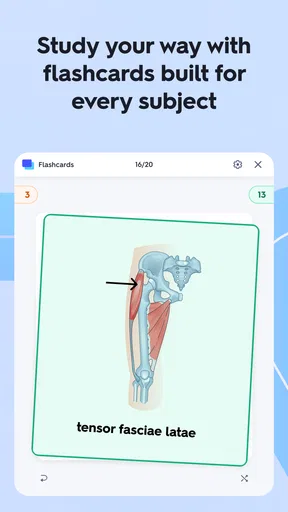
Quizlet caters to various learning styles through its diverse study modes. Visual learners benefit from image-based flashcards, while auditory learners can use the text-to-speech feature. Kinesthetic learners can engage with interactive games and quizzes. This multifaceted approach helps ensure that every type of learner can find a method that resonates with their study habits, enhancing overall effectiveness.


